August 31, 2026
The Complete Google Business Profile Guide for Landscaping Companies
A full guide to optimizing your Google Business Profile: basics, categories, reviews, photos (520% more calls with 100+ photos), and automating posts with AI.
We completely revamped a landscaper's Google Business Profile. It's one of the first things we do when we start working with a new client.
In the first full month:
- Business Profile interactions: +72% over the same month last year
- Business Profile views: +64%
- Business Profile calls: +33%
- Business Profile website clicks: +48%
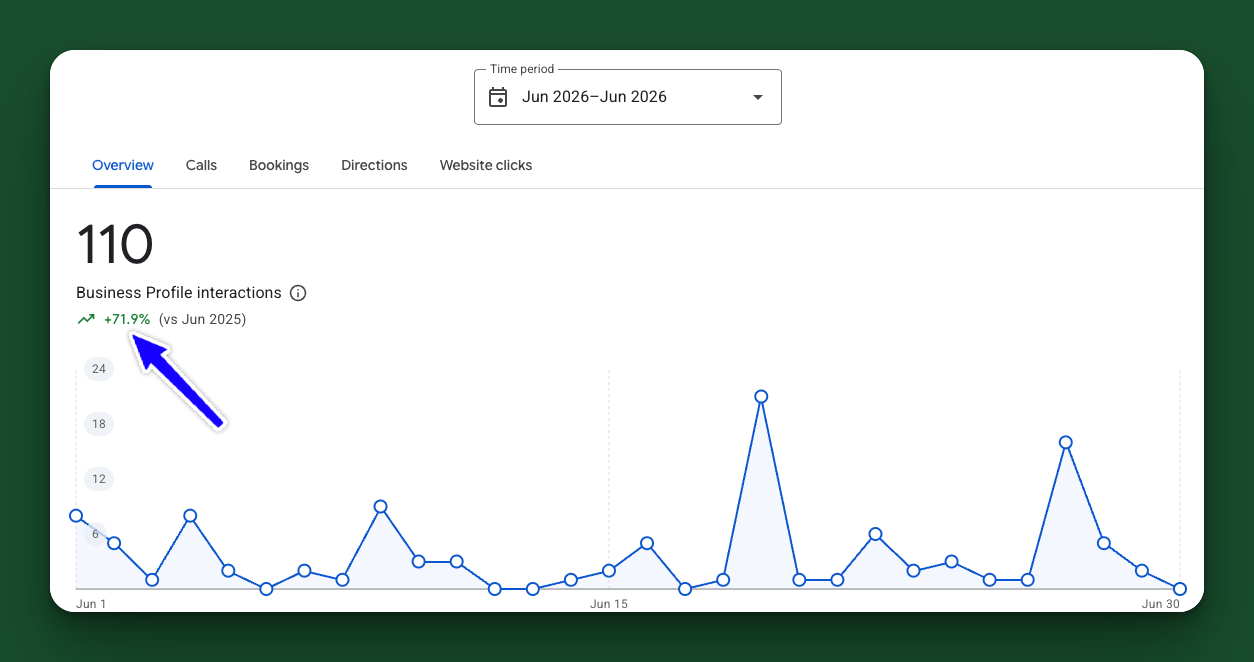
It's boring, but you have to play Google's game. Here's exactly what we changed to get these results, and it wasn't hard.
Some basics first
Make sure you list a physical address, phone number, set hours, and the real name of your company. This is the minimum Google needs to trust you're a real, active business.
Fill out your entire profile
- Description — write it in plain language, not keyword-stuffed marketing copy.
- Category — pick the most specific one that actually fits. A broad category dilutes your ranking for the searches that matter.
- Service areas — list every town or zip code you actually work in.
Reviews
Respond to all of them, with keywords and locations naturally placed. Google reads review text for relevance signals too, not just star ratings.
Photos: the most underrated ranking factor
Businesses with more than 100 photos on their Google Business Profile get:
- 520% more calls
- 1,065% more website clicks
...than the average business. (Source: BrightLocal)
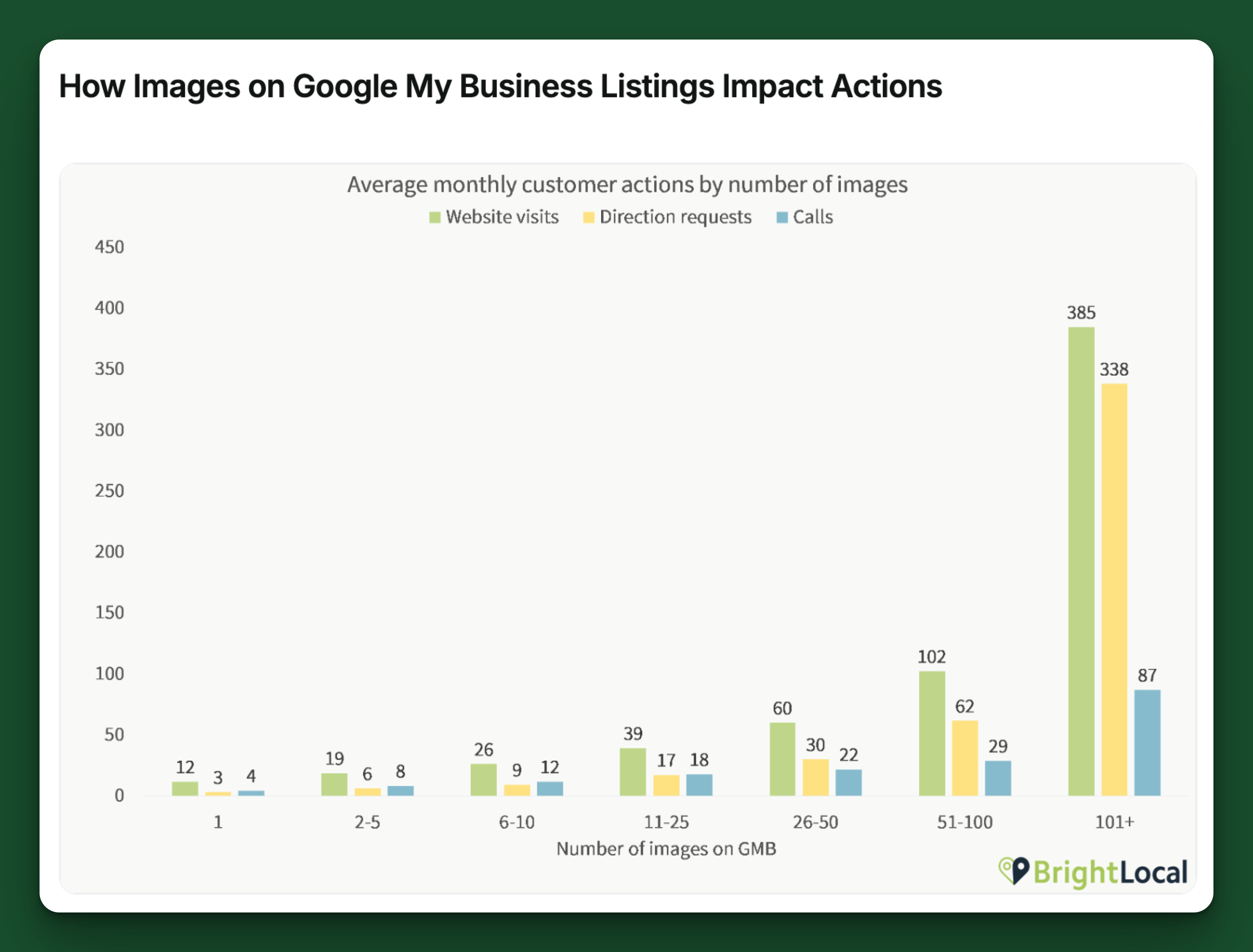
That's not a typo. Photos are one of the cheapest, easiest things to fix on your profile, and almost nobody does it consistently.
What to upload:
- Before and after shots of finished jobs
- Your team on-site
- Equipment and trucks
- Wide exterior shots of the finished property
- Close-ups of detail work (stonework, plantings, edging)
A few things worth knowing:
- More is better, but recent matters too. A profile with 100 old photos loses to one that's actively adding new ones.
- Don't just upload once. Do it after every job, or at least every week.
- Geotagged photos (taken on your phone, with location on) help Google connect the photo to the job site.
Fill out the special sections
- Posts — schedule them regularly (more on how to automate this below).
- Products — use this. It might net you a customer or two. Landscape Design, Hardscaping, Mowing/Maintenance, Patio, Cleanup, etc. Most competitors haven't filled this out.
- Services — add and select all that apply.
None of this is exotic. It's just filled out, consistent, and current, which most competitors aren't.
Automating your Google Business Profile posts
Here's one thing that matters to Google, but not really to your customers: Google Business Profile posts.
- Google wants you to post to your profile consistently. They'll reward you if you do.
- But if we're being honest, no one reads those things.
So do it, but don't spend a lot of time on it. That's perfect for an AI agent: easy, repetitive, helpful, but not damaging if it's not perfect.
Here's how to set it up with Claude Cowork:
- Sign up for Claude Cowork.
- Feed it 3 of your best blog posts.
- Tell it to rewrite each one into a Google Business Profile update, with a description and photos.
- Have it schedule one per week.
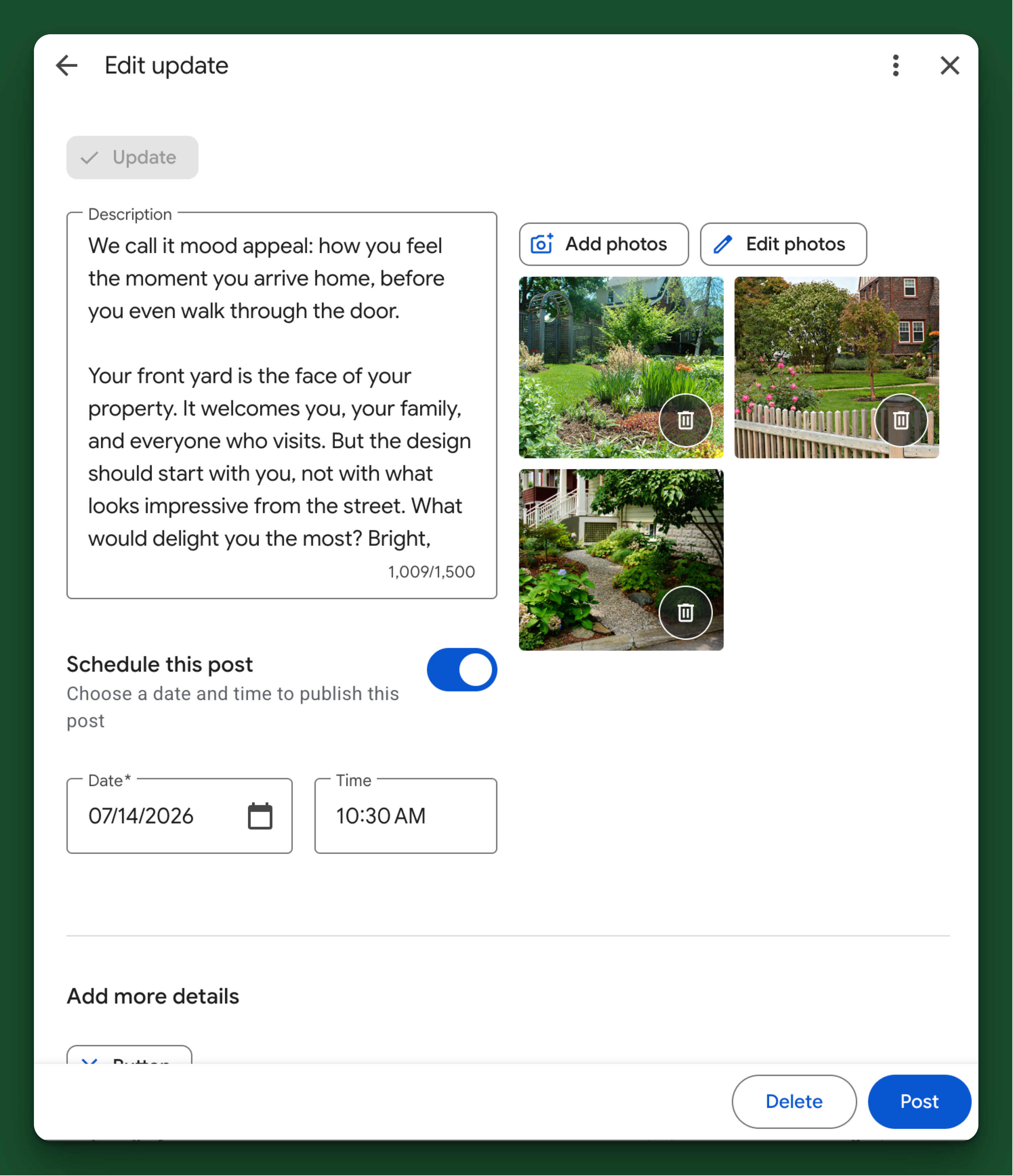
Let it run.
The bottom line
A complete, active, photo-rich Google Business Profile isn't glamorous work, but it's some of the highest-leverage marketing a landscaping company can do. Fill it out once, keep it current, and let the numbers do the rest.
Ready to put this into practice?
Book a free 30-minute call — no pitch, just clarity on what your marketing should be doing.
Book a Free Strategy Call →